
The aiming tool allows you to receive information about the RSSI signal strength at a faster rate than you will see on the device's dashboard, which helps to align devices in the field for high-quality links.
The aiming tool is only available for devices operating in station or point-to-point mode.
- Log into the AltoReach device as described in Connect to the AltoReach device.
- In the WebUI, click Tools.
- In the Aiming section of the Site survey & aiming page, click Start Aiming.
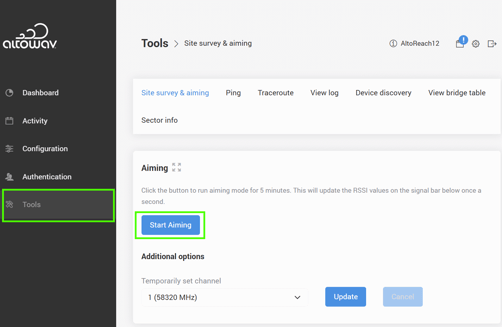
The device will be in aiming mode for 5 minutes. During this time the RSSI values will be updated once per second. As you aim the device, observe the values displayed here to optimize the link.
-
(Optional) You can also temporarily set the station's channel to a static value. This reduces scanning time when the channel of the access point is already known.
- For Temporarily set channel, select the appropriate channel.
- Click Update.
- Click Cancel to reset to using automatic channel mode. The device will reset automatically after 20 minutes.