
To view the Map:
-
Open the AltoCommand WebUI:
In your browser's address bar, type:
https://hostname
where hostname is the fully qualified domain name of the AltoCommand server.
-
Log into the WebUI as a user with either user or admin privileges.
- From the menu bar, click Map.
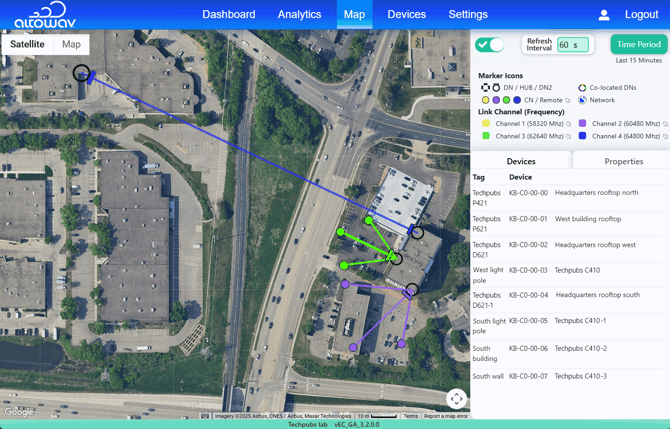
Look at the Map for the following issues.
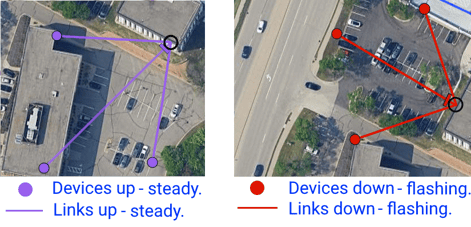
- Any flashing red links, indicating the links are down.
-
Any flashing red device markers, indicating the devices are down.
- Potential areas of interference due to butterfly, co-channel interference, or other configurations. This is most easily seen from the Map page, where the RF channels are shown by color, and relative distances and positions are easily visualized. For mitigation information, see the device's user guide.
- Potential area of improvement with beam elevation changes. For example when CNs are installed close to the connecting DN.
- Potential areas of poor performance due to link distances. This distance varies per device.