
By default, AltoReach devices are configured to have a static IP address of 192.168.0.1.
We recommend that you change the default IP address prior to installing AltoReach radios to guarantee that you are connecting to the expected radio when configuring or monitoring the radio after installation. See Configure the IP address for information about changing the default IP address.
- Use the supplied PoE injector to power the device:
- Plug an Ethernet cable into the PoE port on the injector.
- Plug the other end of the cable into the ETH0 port on the AltoReach radio.
- Plug the injector’s power chord into a electrical outlet.
- Configure your computer’s networking to be a member of the 192.168.0.x subnet and connect the computer to the LAN port of the PoE injector.
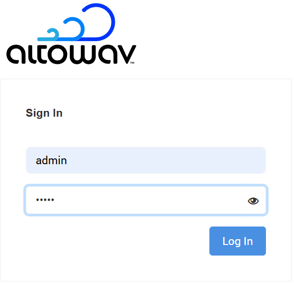
- Access the WebUI by typing 192.168.0.1 in your browser’s address bar. The default username and password are:
Username: admin
Password: admin
-
If you are logging into the radio for the first time, you are prompted to change the password of the radio and select your country.
If you forget the admin user password and no other users with admin privileges are configured, a hardware-based factory reset will be required. See Factory reset for information about performing a factory reset.
After changing the password, you are prompted to log into the device again.
The WebUI will open to the Dashboard.