
Changing a user's timezone is useful when the user is monitoring a remote Network that is in a different timezone than the user. By setting the user's timezone to the same timezone as the Network, timestamps in AltoCommand will reflect the timezone of the Network, rather than the timezone of the user.
-
Open the AltoCommand WebUI:
In your browser's address bar, type:
https://hostname
where hostname is the fully qualified domain name of the AltoCommand server.
-
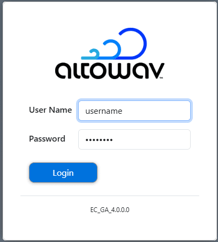
Log into the WebUI as a user with either user or admin privileges.
- Click the User icon ( ).
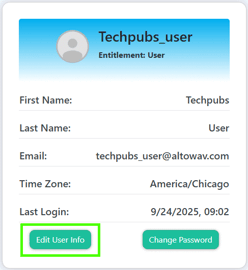
The User window opens.
-
Click Edit User Info.
The Edit User dialog opens.
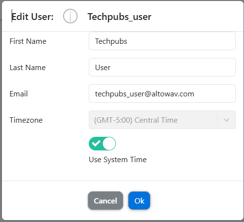
- Click to toggle off Use System Time.
This will instruct AltoCommand to disregard the timezone settings of the user's local PC, and use the timezone configured here instead.
- Select the Timezone.
- Click Ok.