
AltoCommand uses certificate-based authentication to have write-enabled access to AltoPlex devices. If your AltoCommand server fails, you can restore a backup of the AltoCommand certificates to a new AltoCommand server.
To backup and restore the AltoCommand certificates:
-
Open the AltoCommand WebUI:
In your browser's address bar, type:
https://hostname
where hostname is the fully qualified domain name of the AltoCommand server.
-
Log into the WebUI as a user with admin privileges.
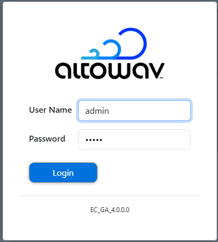
The default username is admin
The default password is admin
- Click Settings > Backup.
- To download backup copies of the certificates used by AltoCommand, click Download Backup.
A zip file containing the certificate backups will download.
- To restore certificates, click Choose file and select the zip file that contains the backed up certificates. Click Restore from Backup.